macOS 13+  ·  100% on-device  ·  No subscription

Browse, cull, edit.
No import needed.

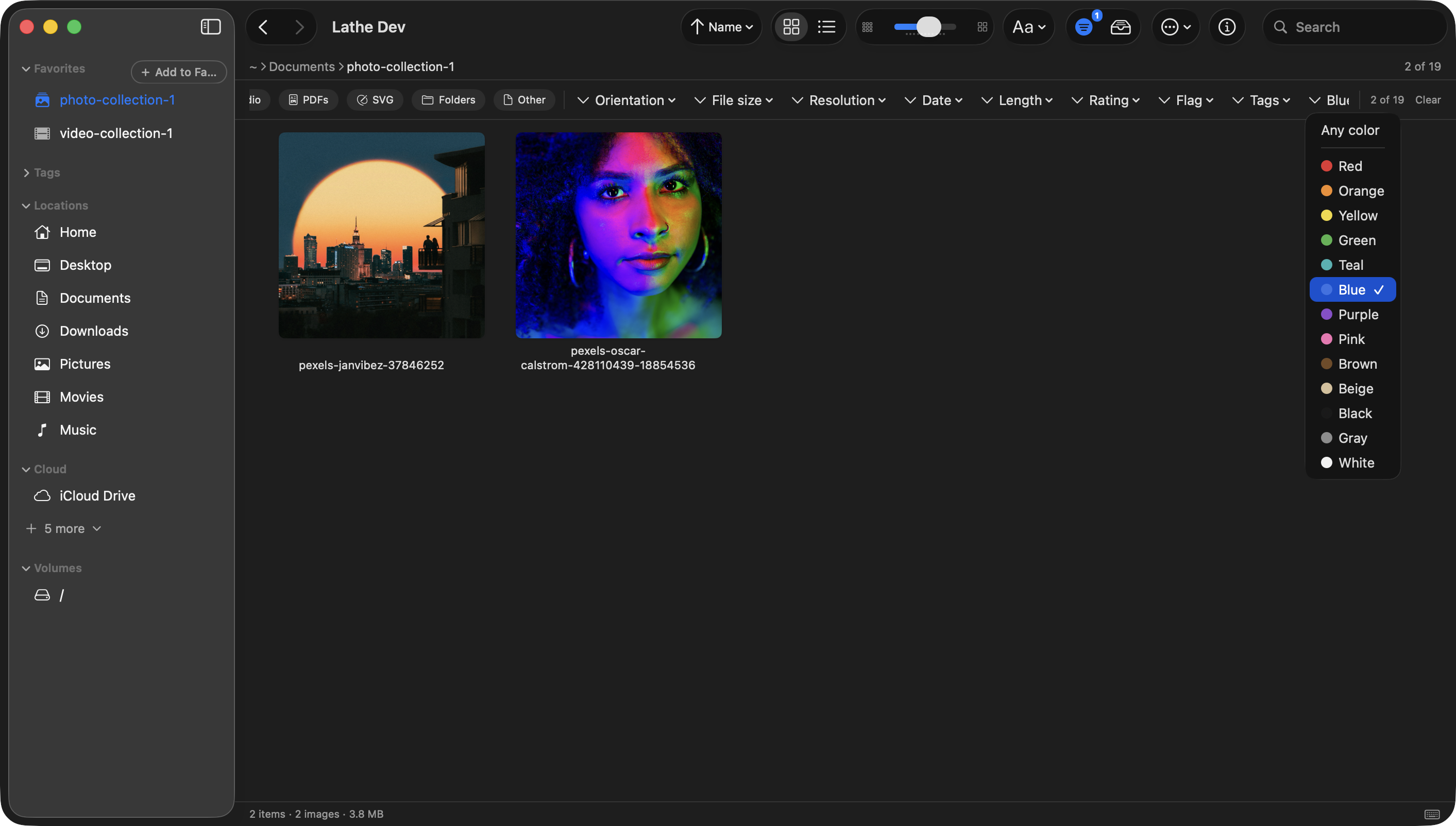
Lathe works directly from your folders, like Finder, but built for media. Images, video, audio, and PDFs, with powerful tools that mean you never have to open another app.
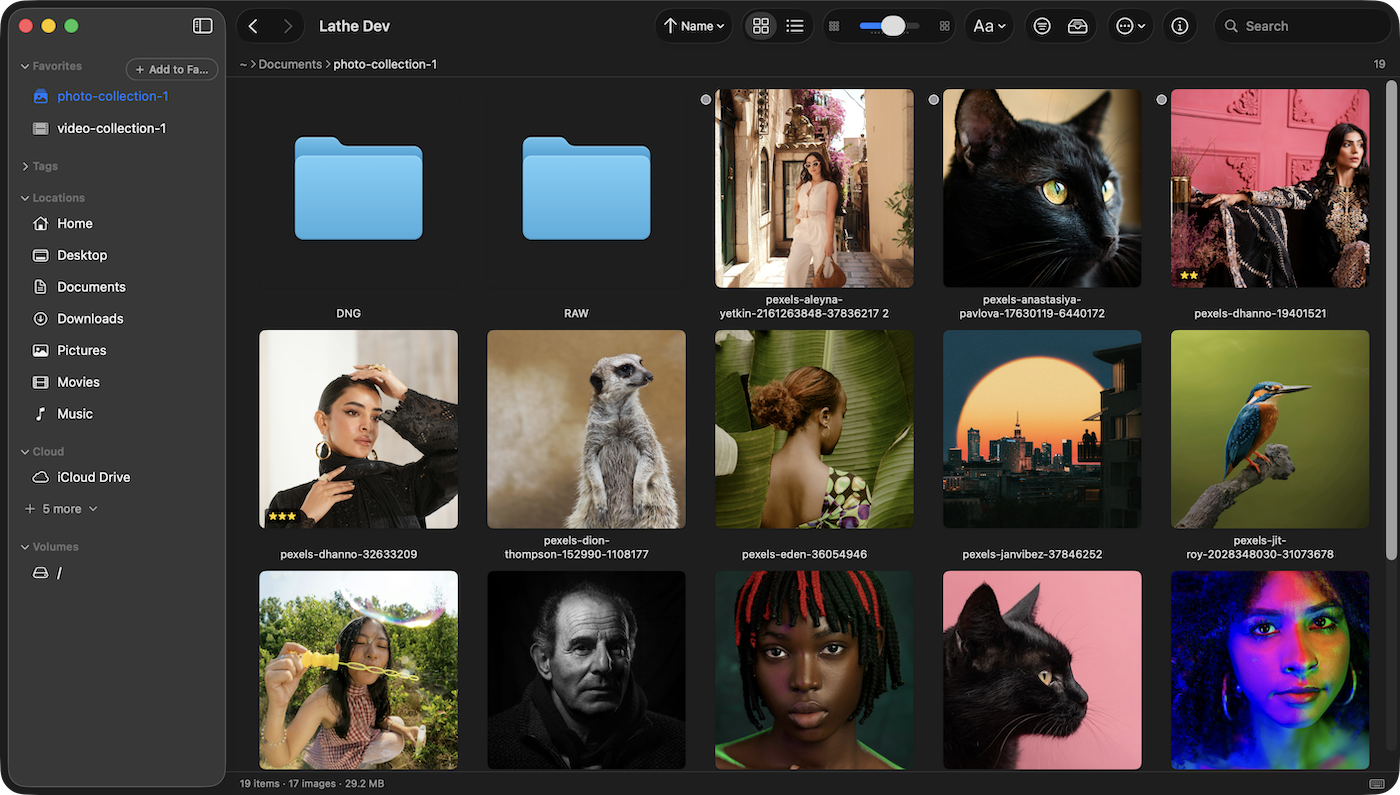
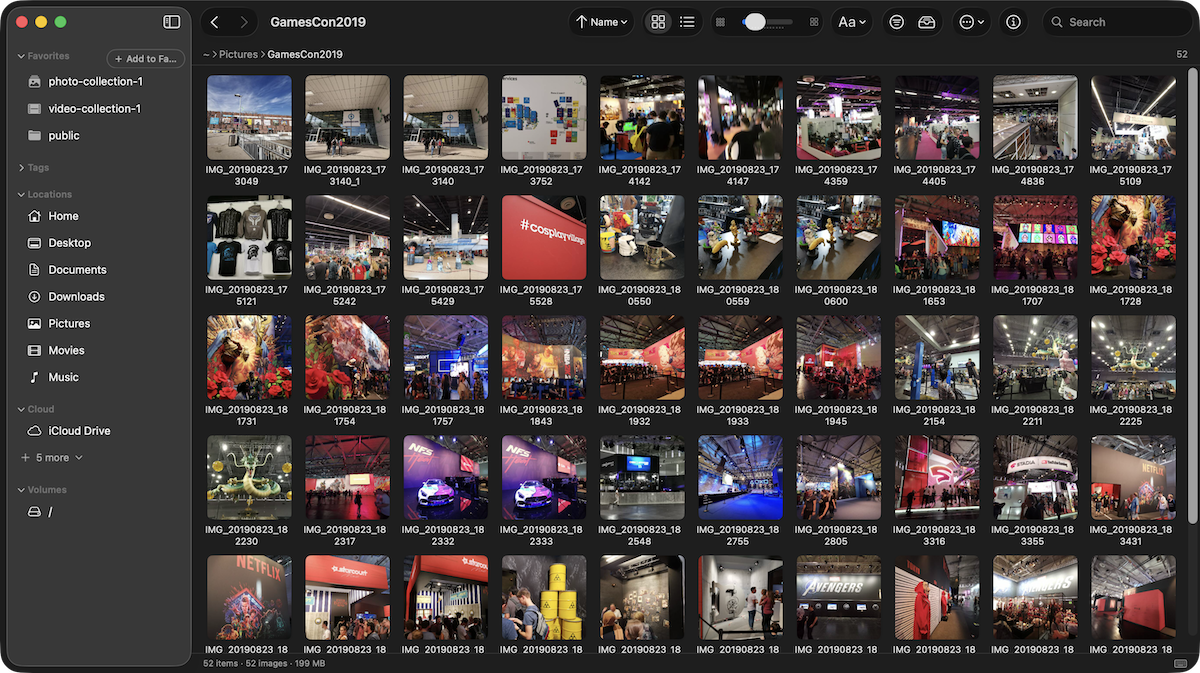
Lathe, main browser interface
20+
RAW formats supported
13
Combinable search filters
100%
On-device, no cloud needed
0
Subscriptions required
Lathe, folder-based browser

Your files stay
where they are.

Works directly from your folders like Finder, but built for media. No import, no duplication, no proprietary library file. Nothing gets moved.

  • No import step
  • No library file
  • XMP sidecars
  • Works with Lightroom
  • Folder structure preserved
Lathe, culling interface

Cull 500 shots
in minutes.

Star ratings, pick and reject flags, all driven by keyboard shortcuts. Stored in XMP sidecars any other app can read.

  • Histogram (H)
  • Focus peaking (F)
  • Clipping warning (C)
  • Burst review
  • Issue scanner
  • Duplicate detection
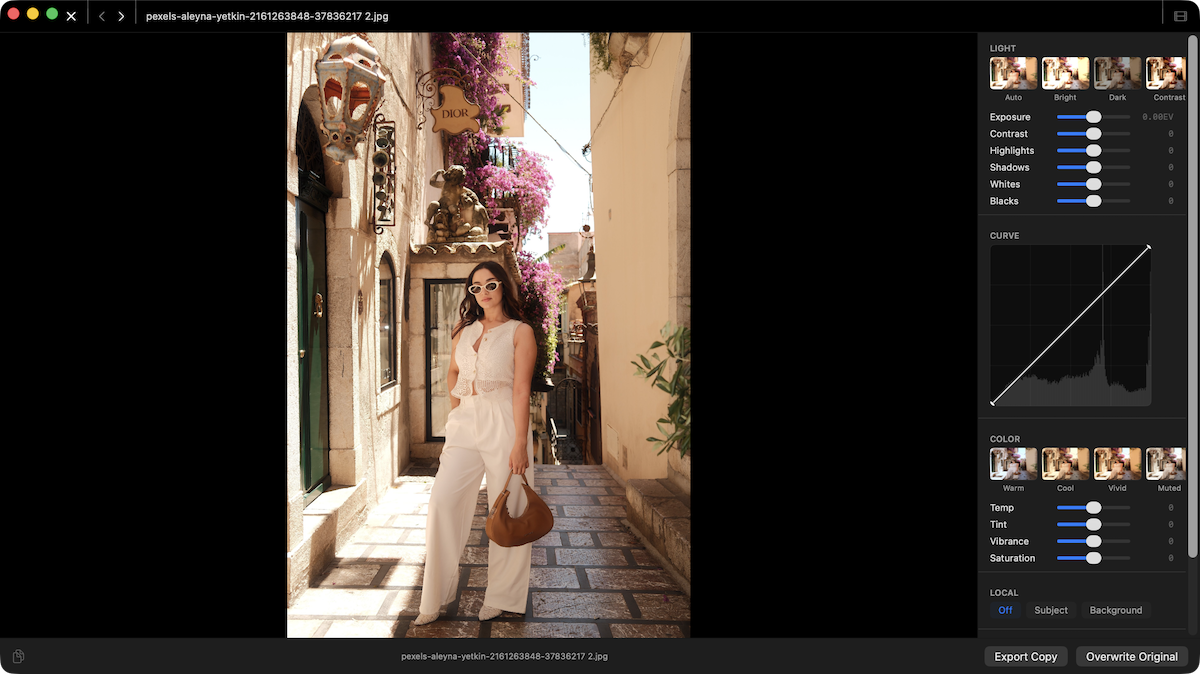
Lathe, develop panel

Edit without
switching apps.

A full non-destructive develop panel. Tone curves, subject masking, crop presets for social. The original pixel is never touched.

  • Exposure, tone, colour
  • Tone curve
  • Subject mask
  • Crop presets
  • Background removal
  • Batch tools
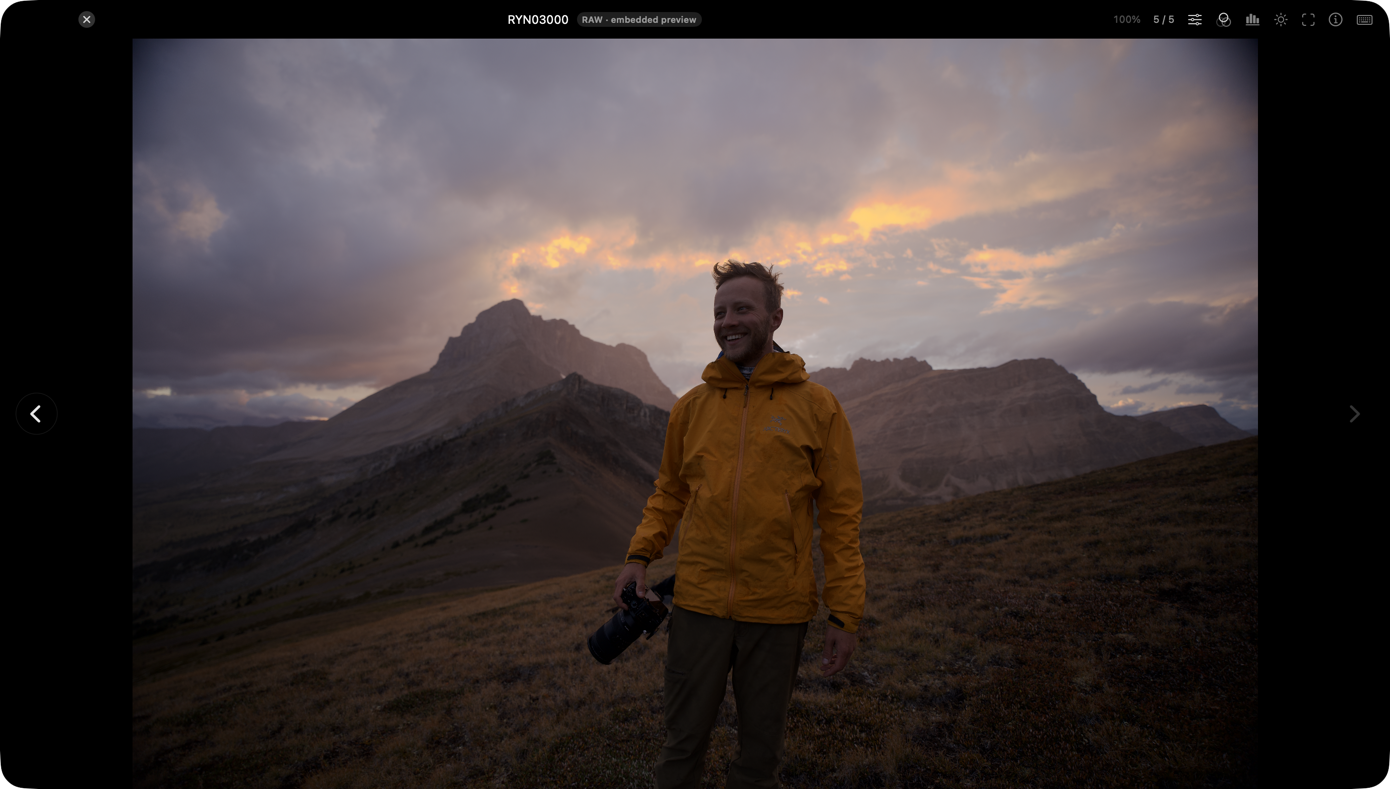
Lathe, RAW viewer

Open RAW files
fast, any camera.

20+ camera manufacturers rendered via macOS's native RAW engine. No codecs to install, no slow import pipeline, full EXIF intact.

  • CR2, CR3, NEF, ARW
  • RAF, RW2, DNG + 14 more
  • Fast thumbnails
  • Full EXIF
  • RAW vs JPEG compare

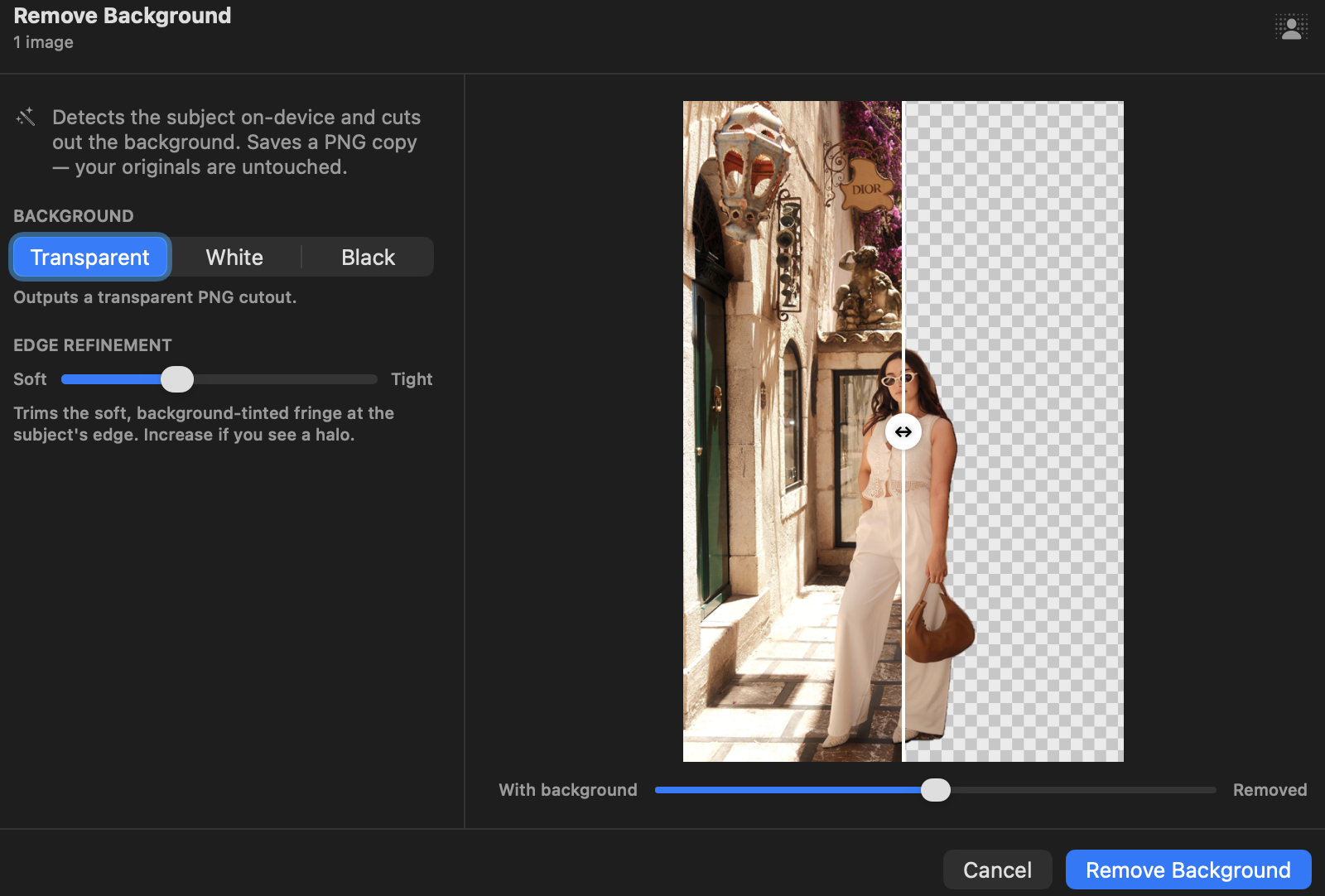
Remove backgrounds.
Keep the subject.

On-device subject detection cuts out backgrounds in seconds. No upload to a web service. Transparent PNG or solid colour fill, with live preview.

  • 100% on-device
  • Transparent PNG
  • Solid colour fill
  • Edge control
  • Batch folders
Lathe, background removal
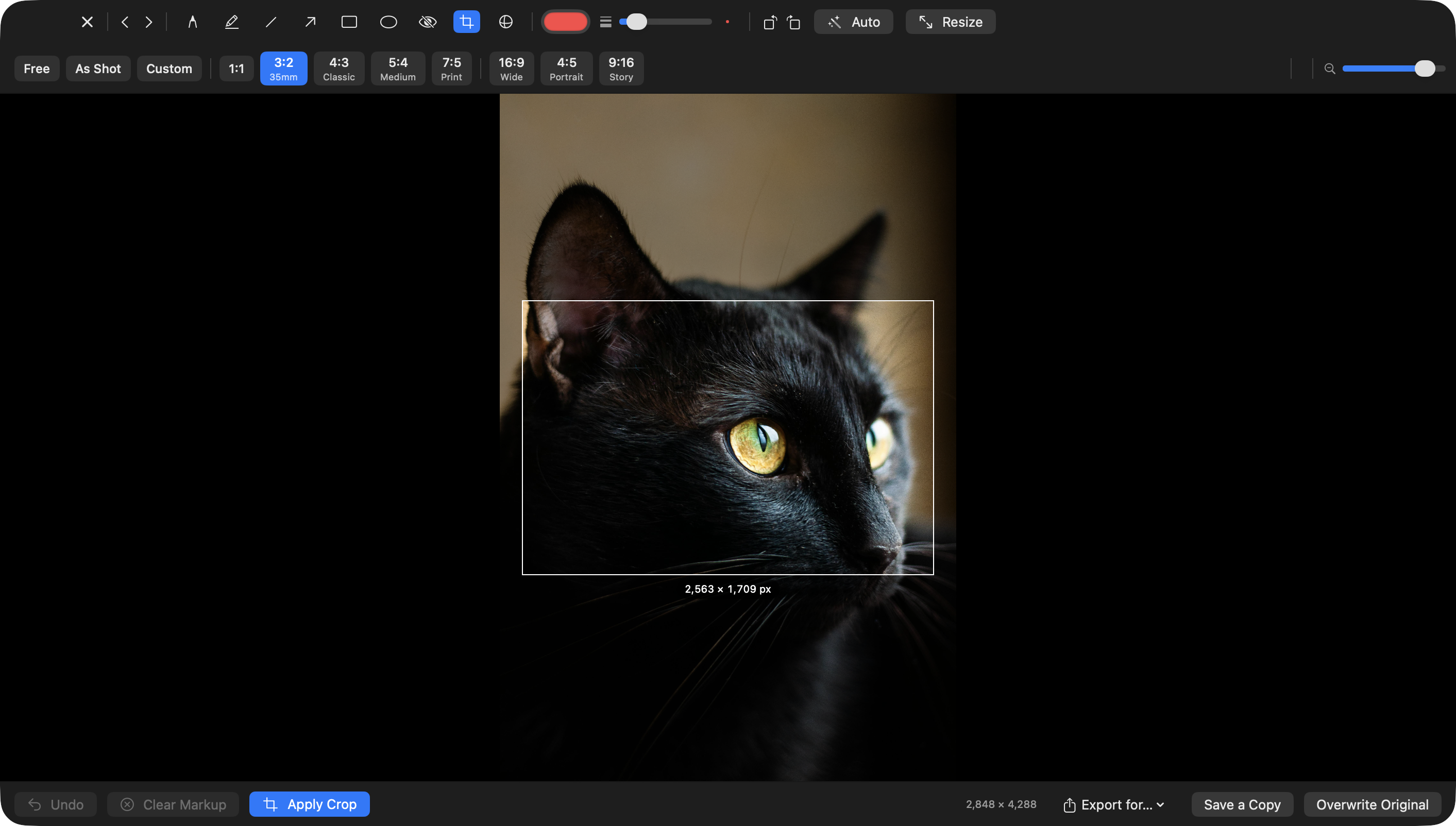
Lathe, crop and social presets

Crop once.
Post everywhere.

Built-in presets for every social format. Square for Instagram, portrait for Stories and Reels, landscape for Twitter. Crop, straighten, export in one step.

  • 1:1, 4:5, 9:16, 16:9
  • Rule-of-thirds grid
  • Degree readout
  • Non-destructive
  • Batch crop

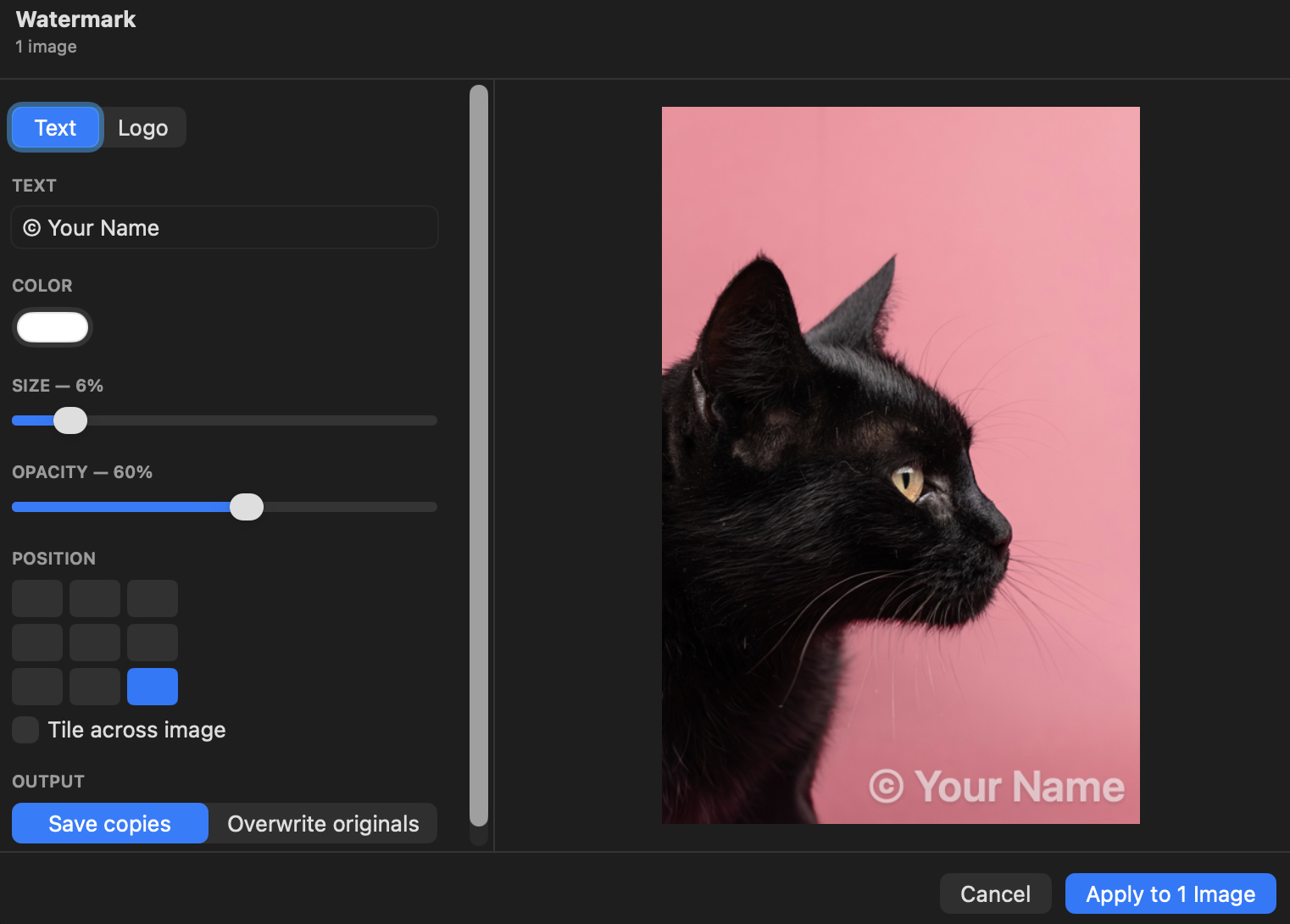
Brand your work
before you share it.

Text or logo watermark on a single image or a whole folder. Full control over position, size, opacity, colour. Saves copies, originals untouched.

  • Text or logo
  • 9-point grid
  • Scale and opacity
  • Batch folders
  • Originals preserved
Lathe, watermark tool
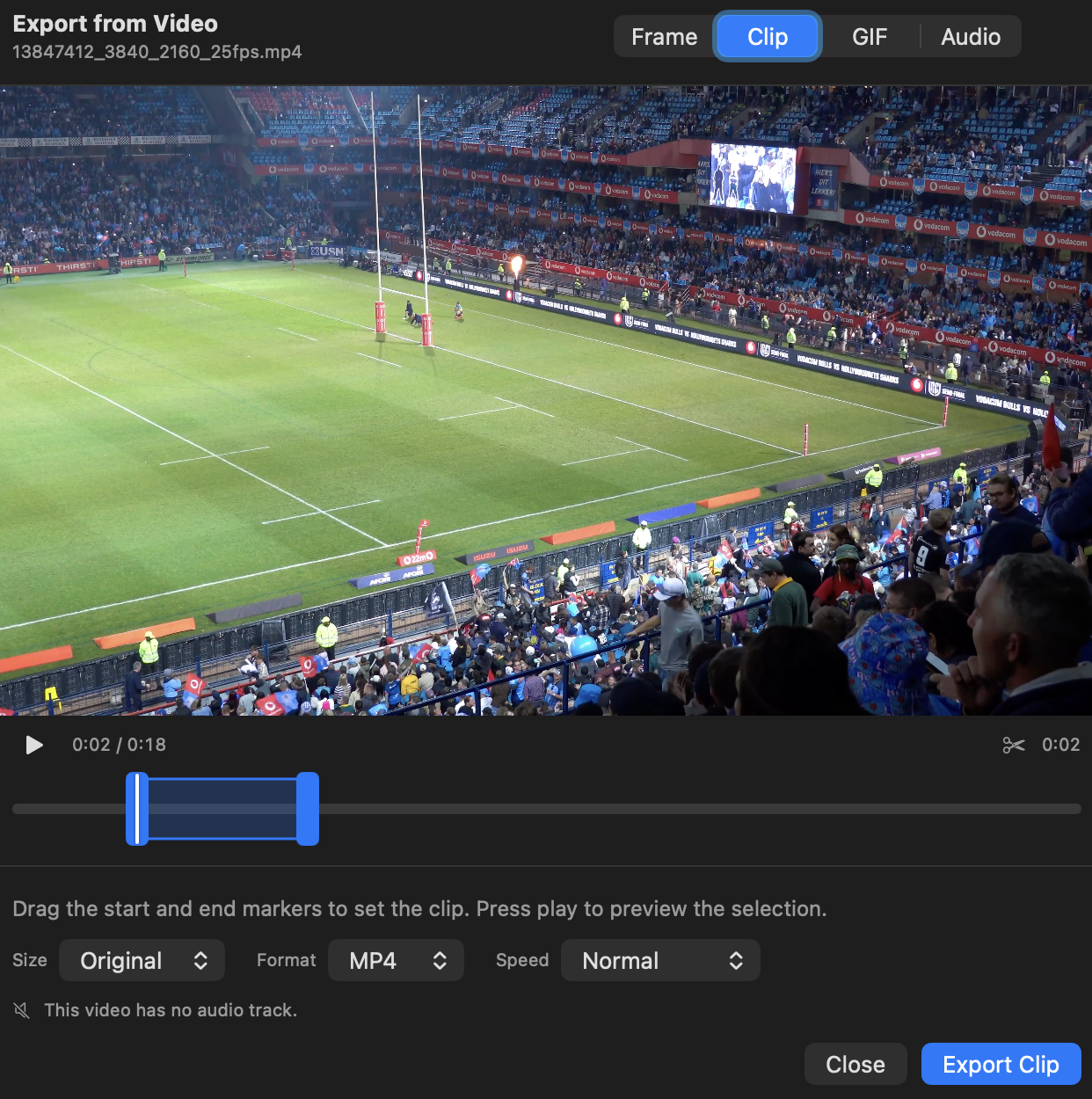
Lathe, video trim and export

Trim, reframe,
post to social.

Set in and out points, pick a crop ratio, export a social-ready MP4. No timeline editor, no manual settings. Cut and reframe in one step.

  • Frame-accurate trim
  • Reframe to 9:16, 4:5, 1:1
  • Social-ready MP4
  • Rotate without re-encode
  • Batch compress

Stop opening
five different apps.

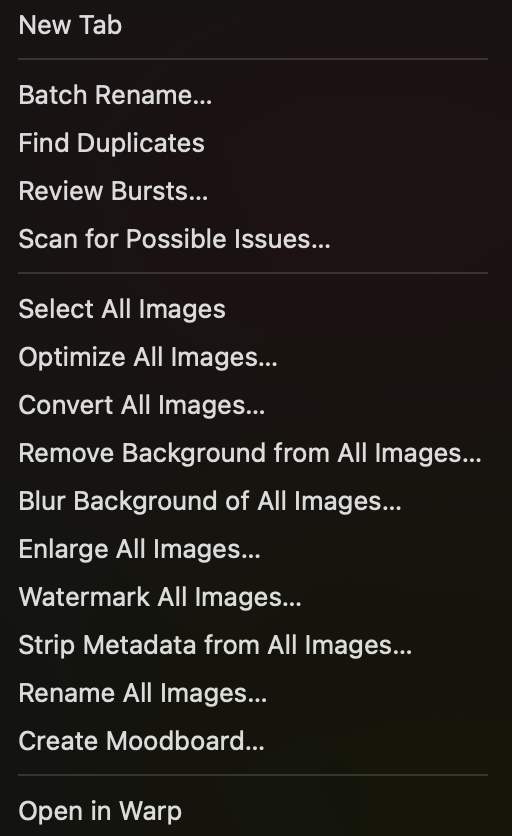
Background removal, batch export, video reframing, PDF editing, there's usually a different app for each one. Lathe brings them all together so you can just get things done. Everything runs privately on your Mac, nothing uploaded anywhere.

Image tools
Background removal
On-device Vision-based subject detection. Transparent PNG or solid colour fill. Live before/after preview with edge tightness control.
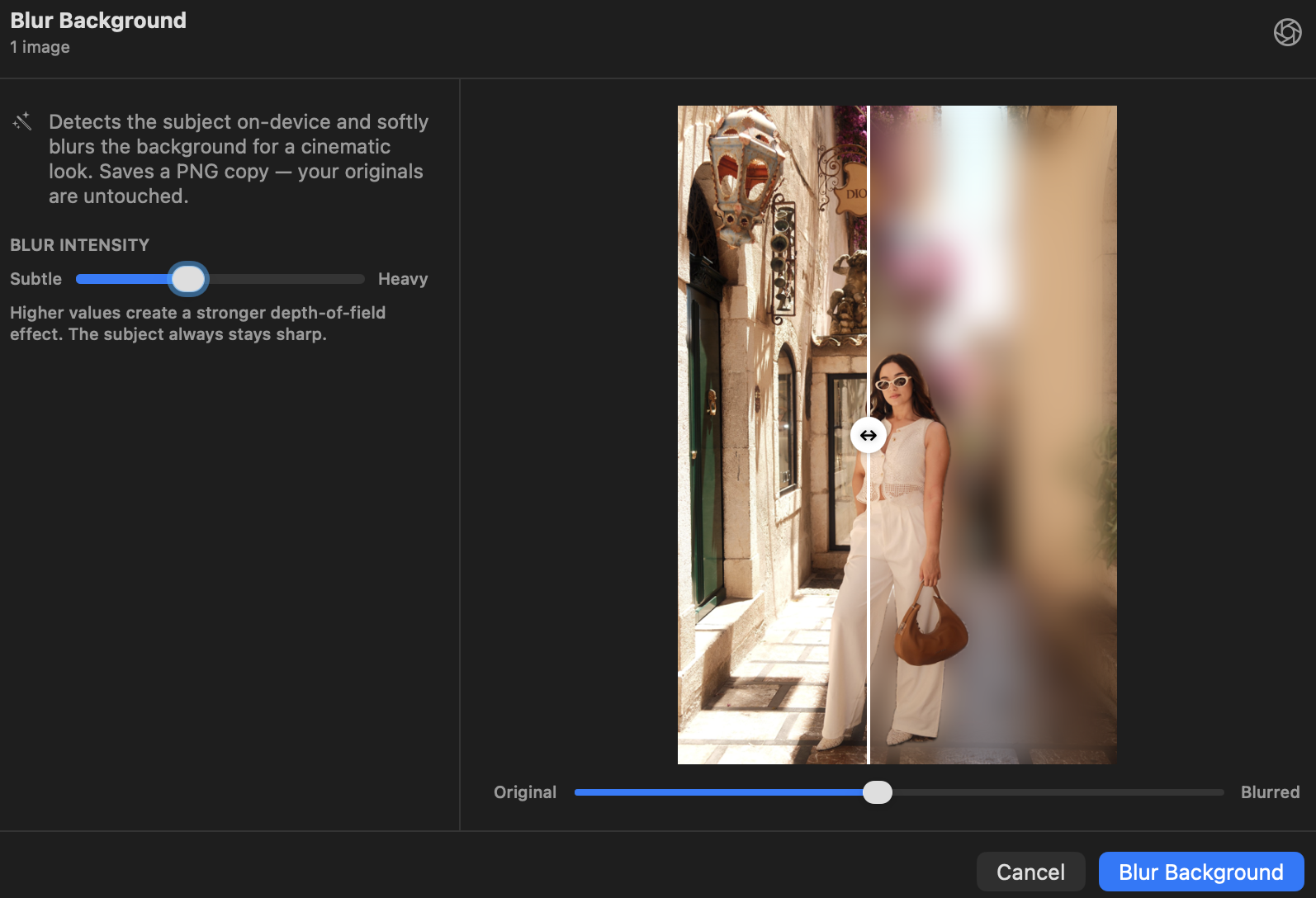
Blur background
Isolates the subject and blurs everything behind it, simulating shallow depth of field. Intensity slider from subtle to heavy.
Watermark images
Text or logo overlays with full control over position, scale, opacity, and colour. Saves copies, originals untouched.
Enlarge images
Upscale by 1.5×, 2×, 3×, or 4× with a sharpen slider. Useful for printing small originals or recovering detail for social crops.
Compress & optimise
Re-encode images with a quality slider, resize to a max dimension, and strip EXIF metadata, all in one pass.
Batch operations
Batch background removal
Select dozens of product shots or portraits and remove all backgrounds in one go. Saves transparent PNGs alongside originals.
Batch blur background
Apply depth-based background blur across an entire selection. Consistent intensity across the batch.
Batch watermark
Apply your text or logo to a full folder of images at once. Consistent position and opacity across every file.
Batch enlarge
Upscale an entire selection to the same scale factor in one click. Progress tracked, originals preserved.
Batch rename
Pattern-based renaming with tokens for name, number, and date. Find and replace. Case conversion. Full undo.
Find & review
Find duplicates
Scans for identical or near-identical images using perceptual hashing. Groups matches, shows estimated storage recovery, trash extras in one action.
Find similar images
On-device Vision feature vectors find images that look alike even with different filenames or formats.
Scan for possible issues
Flags blurry shots (gradient-based sharpness scoring) and portraits where eyes appear closed (face landmark detection). Guided keyboard review.
Video & creative
Export clips for social
Trim start and end points, reframe to 9:16, 4:5, 1:1, or 16:9, and export a social-ready MP4. Set your crop and clip range, then export.
Compress & optimise video
Three quality presets (Light, Balanced, Strong) with resolution downscaling. Batch-compress a whole folder.
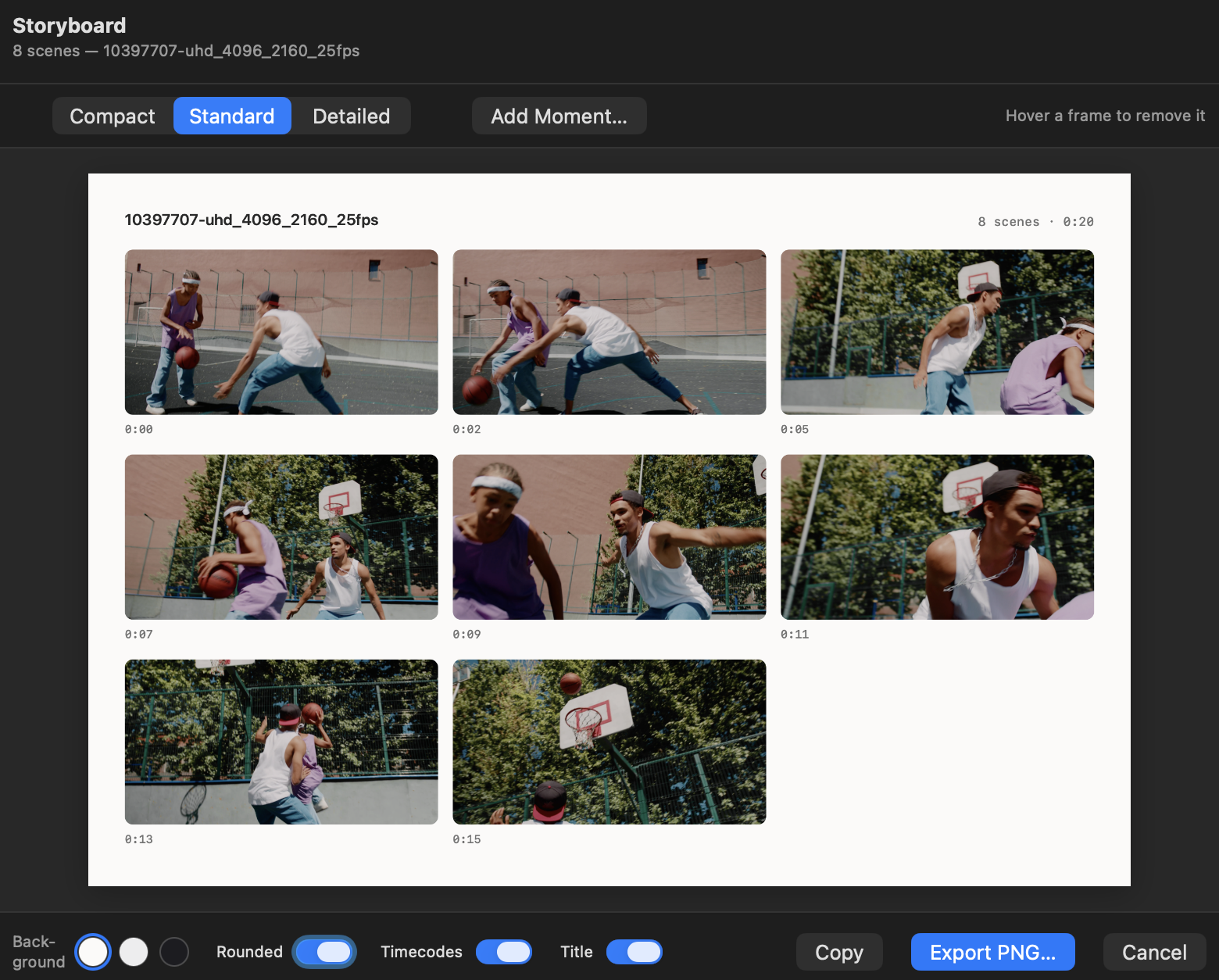
Create a storyboard
Auto scene-cut detection generates a visual key-frame strip. Configurable density. Useful for reviewing footage or preparing an edit brief.
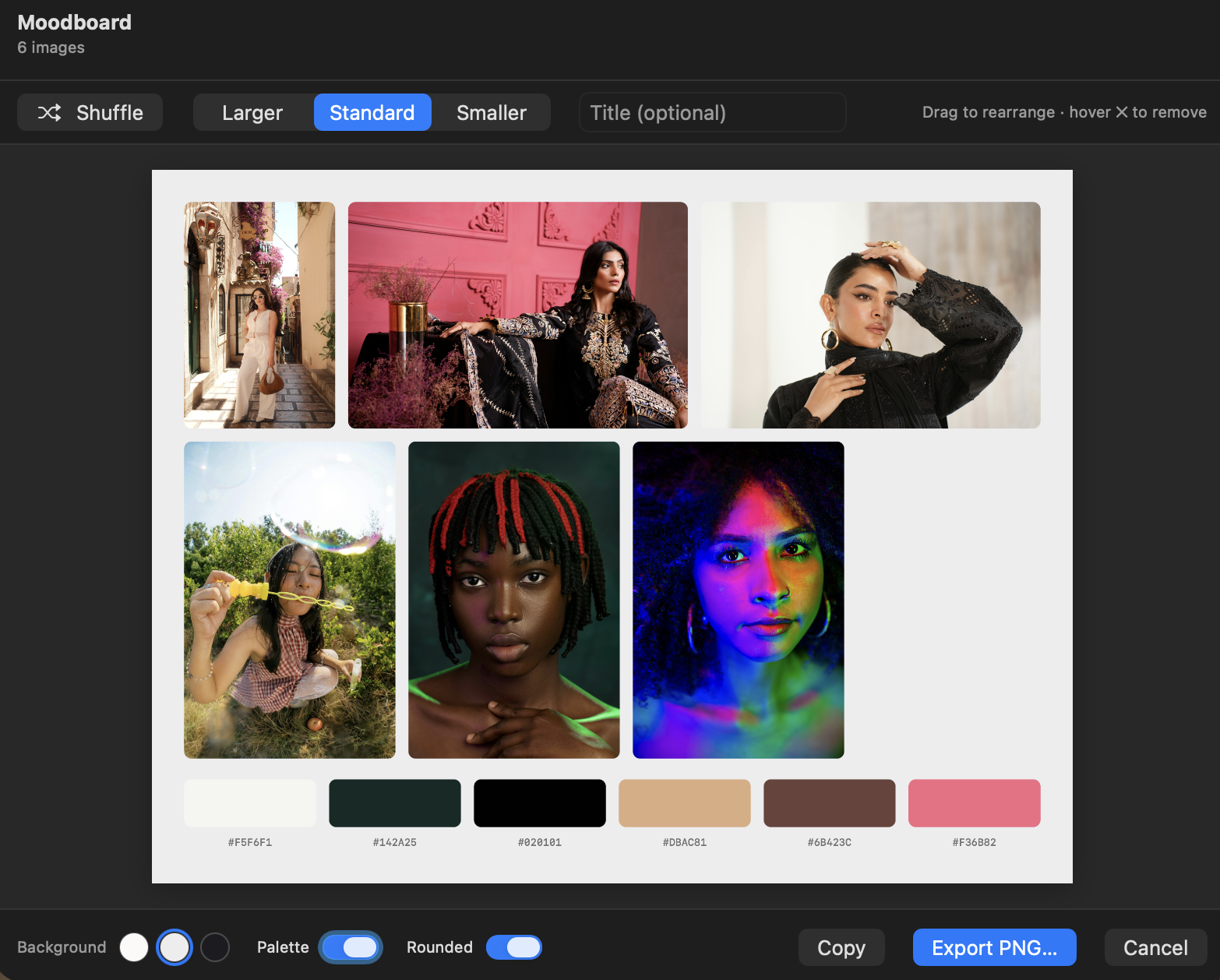
Create a moodboard
Select any set of images, Lathe arranges them into a justified-grid layout with a dominant colour palette strip. Export as a single PNG.

The formats
you actually use.

Lathe supports the image, video, audio, and PDF formats that most people work with day to day, including all common RAW formats from major cameras. No extra codecs, no third-party plugins.

Images
  • JPEG, HEIC, PNG, WebP, TIFF, GIF
  • RAW: CR2, CR3, NEF, ARW, DNG +14 more
  • Non-destructive develop panel
  • Burst culling and duplicate detection
  • Background removal on-device
  • Batch convert, optimise, watermark
Video
  • MOV, MP4, M4V, HEVC, ProRes, AVI
  • macOS-native formats (no external codecs)
  • Hover-scrub preview in the grid
  • Scene detection and storyboard view
  • Trim, reframe, rotate, flip
  • Merge clips and make reels
  • Batch compress with quality presets
Audio
  • MP3, AAC, FLAC, WAV, AIFF, OGG
  • Waveform card in the grid view
  • Hover-scrub and full audio player
  • EXIF and ID3 metadata display
  • Search by title, artist, album
  • Smart audio file classification
PDF
  • Multi-page PDF browsing
  • Page thumbnails in grid view
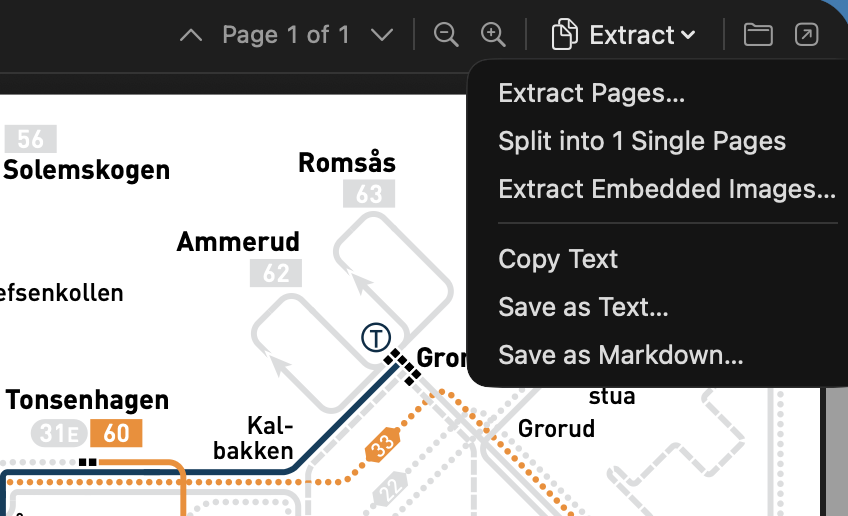
  • Page extraction, split, and merge
  • Full-text OCR search across pages
  • Re-order, rotate, and delete pages
  • Export single or batch PDFs

Built for people
who care.

The details that matter to photographers, videographers, and anyone who has too many files and not enough time.

No library, no lock-in
No import step, no proprietary library file. Lathe opens your folders directly. Your files stay exactly where you put them.
XMP sidecar support
Ratings, labels, and picks stored in industry-standard XMP sidecars, readable by Lightroom, Capture One, and Finder.
Keyboard-first workflow
Rate, flag, navigate, and cull without touching the mouse. Full keyboard shortcut reference built in.
Native Finder tags
Assign and read macOS Finder colour tags directly from Lathe. They appear in Finder, Spotlight, and any other app.
EXIF metadata viewer
Full EXIF, IPTC, and GPS data for every file. Camera model, lens, aperture, shutter, ISO, all on-screen.
GPS map view
Photos with location data appear on an interactive map. Filter by geography or see a shoot's full route.
Full-screen viewer
Distraction-free full-screen mode with keyboard navigation. Supports all image, video, audio, and PDF types.
Smart collections
Save any filter combination as a smart collection that updates automatically as files change.
Quick Look integration
Space bar Quick Look from the grid, just like Finder, but faster, and without leaving your workflow.
Adjustable grid density
From 2 to 10 columns with live pinch-to-zoom. Large thumbnails for culling, small thumbnails for scanning a full folder.

Your files.
Under control.

Native macOS. No import. No subscriptions. No lock-in. Just a fast, powerful media browser that works the way you do. Coming soon.

Coming soon